Partners weren’t resisting change. The platform was built around its data, not their work.
A new partner licensing platform, VL Central, was objectively better than the tools it replaced, yet partners kept going back to the old ones. Over seven months I found the four barriers behind it, helped the team prioritise them, and the first fix to ship lifted adoption by 22%.
SituationA better platform that people wouldn’t switch to
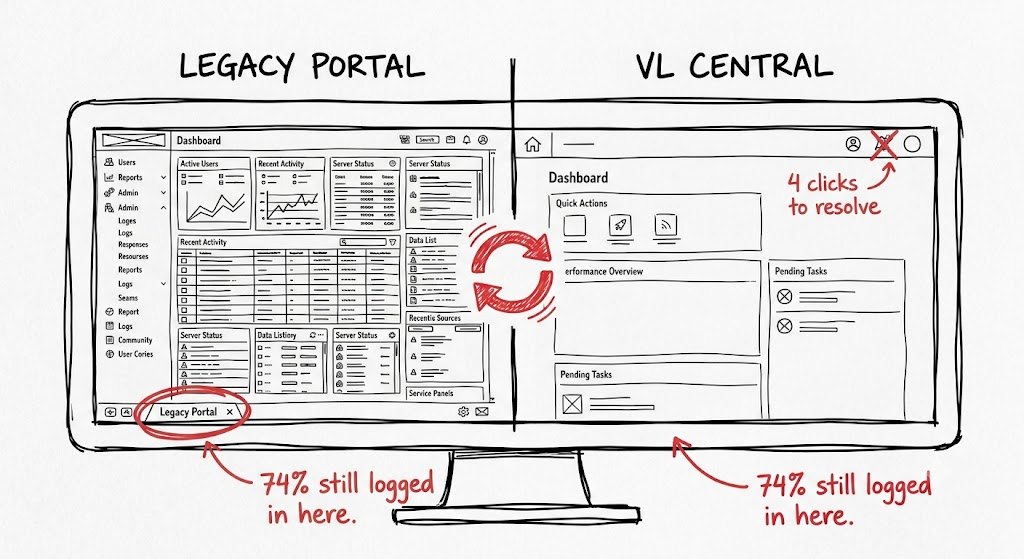
VL Central (Volume Licensing Central) is the portal resellers and managed service providers use to manage software agreements, customer portfolios and financial reporting. It replaced a set of separate legacy tools, one for agreements, one for reporting, one for alerts, with a single platform serving thousands of partners worldwide.
On paper it was a clear improvement. In practice, adoption stalled. Partners kept the old tools running alongside the new one, even after migration deadlines passed. The product team had hunches (confusing navigation, missing features) but no evidence to decide where to spend engineering time.
What the telemetry showed
TaskFind out why, with evidence strong enough to prioritise
I joined as a contract researcher through Tech Mahindra. The scope was set before I arrived: interviews and usability testing with enterprise partners, ending in recommendations. The internal team owned the product and the build. The team needed answers to three questions:
- Why are partners reluctant to switch? Is this genuine change resistance, or specific barriers in the platform?
- What can the legacy tools do that VL Central can’t yet?
- Where should engineering invest first for the biggest adoption gain?
Partners are resisting change.
Is the new platform good enough to disrupt the way partners already work?
ActionWatch the work, measure it, then prioritise together
01Combined what partners said with what they did
I asked partners to show me how they found their latest revenue report, rather than asking what they found hard. The friction was in the workflow, and you can’t observe navigation confusion by asking about it. Retrospective interviews would have been quicker to run, but they surface what people remember, not what they do.
Interviews told us what partners struggled with; telemetry and SUS showed how often and how badly. That moved us from “partners said it was hard” to evidence a roadmap decision could rest on.
A SUS score is a number stakeholders already understand, and HAX gave the AI findings a shared language with engineering.
02Found four barriers, all with the same root
Navigation was organised by data type, not by task: 40+ report options in one dropdown, 14 of them named “Revenue”. 62% of report searches ended in a navigation change, not a download.
“I spend more time figuring out what to look at than actually doing my work.”
Scheduled report downloads didn’t exist. 9 of 16 participants named it the main reason they couldn’t fully migrate.
“I export the data and rebuild the report in Excel every week. I can’t stop doing that until the new system has scheduling.”
Every data dimension was shown at once, with no filtering or hierarchy. Partners spent 3.5 minutes on this screen, longer than any other page.
“There’s so much information here that I don’t know where to start.”
Renewals, rejected orders and true-ups all looked the same, and none suggested a next step. 11 of 16 participants routinely ignored them.
“I usually ignore these because they don’t tell me what to do.”
Why partners went back to the legacy tool for weekly reports
Partners who tried the weekly export in VL Central spent about 6 minutes before switching back to the legacy tool.
Usability benchmark (SUS)
Below the industry average: the barriers were real, not just change resistance.
Partners weren’t resistant to change. The platform was organised around how data was stored, not how partners work. Every barrier traced back to that one root cause.
03Shared findings weekly, then prioritised with product
Instead of one report at the end, I shared what I was seeing every week, so the team could act while roadmap decisions were still open. To finish, I ran a RICE workshop (reach, impact, confidence, effort) with the product managers. RICE separates confidence from impact, which mattered because some findings were heavily evidenced and others were still inferences.
RICE prioritisation, scored with the product managers
| Problem | Reach | Impact | Confidence | Effort | Score |
|---|---|---|---|---|---|
| Navigation confusion | High | High | High | Medium | 9.2 |
| Alert clarityShipped first | Medium | High | High | Low | 8.7 |
| Scheduled report downloads | High | Medium | High | High | 6.8 |
| Financial layout | High | Medium | Medium | High | 6.1 |
| Onboarding guidance | Medium | Medium | Medium | Medium | 5.4 |
Navigation scored highest, but the alert redesign was picked for Sprint 14 because it was the lowest effort: a measurable win while the bigger navigation work was scoped.
Before: what happened
After: what to do
ResultThe first fix moved adoption, and the method stuck
- The conversation changed from “partners resist change” to four specific, fixable barriers, each backed by behaviour data and quotes.
- Sharing findings weekly built a habit of evidence-based decisions that carried on after my contract ended.
- On attribution: the internal team designed and shipped the changes. What I can claim is the evidence, the framing and the prioritisation that put four findings on the roadmap.
ReflectionWhat I’d do differently
- Agree what “adoption” means first. Product, engineering and customer success each meant something different. A short alignment session before fieldwork would have made the findings land faster.
- Add a diary study during migration to capture frustration in the moment, not as remembered weeks later.
- Sample beyond North America and Western Europe, since reporting formats and alert language likely differ by region.
Client details are anonymised. The sketch is an illustration; real product screens are under NDA. Diagrams on this page are drawn from the research data. The research, process and outcomes are real.